
A well-designed bank reconciliation statement template turns scattered records into a document that another person can understand, verify, and act on. The two free templates on this page are intended for bookkeepers, accountants, small-business owners, finance managers, and nonprofit treasurers. They help you compare ledger activity with the bank statement and explain every difference without building a layout or formula structure from scratch.
Both files are editable and deliberately different. One supports a common day-to-day workflow, while the second addresses a related reporting situation. Each download includes a professional structure, practical sample entries or prompts, and clearly labeled fields. Use the preview images to compare the formats before downloading.
Download Two Free Bank Reconciliation Statement Templates
Choose the version that matches the purpose of your record. Do not force one form to serve every audience. A template used internally can contain operational detail, while a version sent to a customer, lender, manager, insurer, or reviewer should emphasize clarity, traceable references, and an understandable summary.
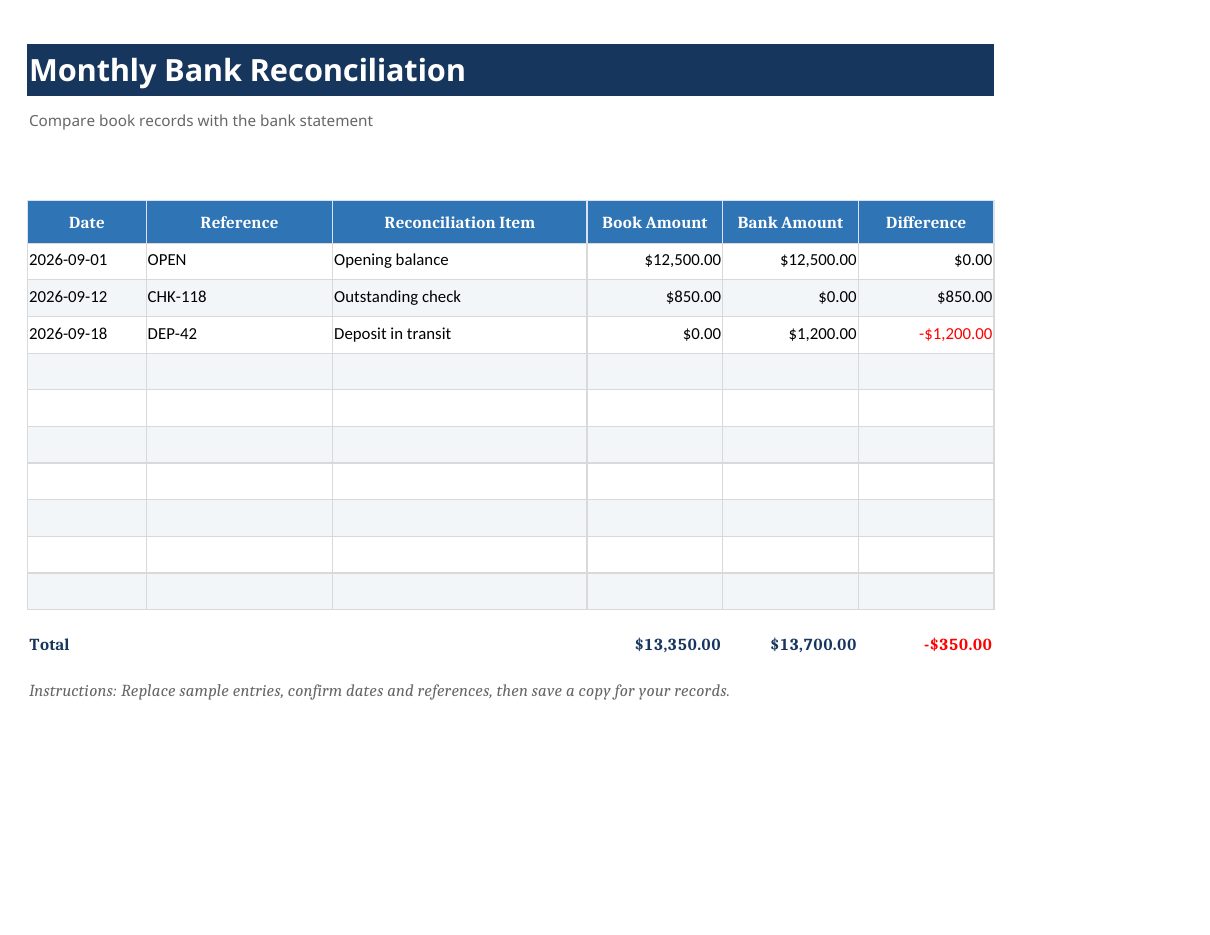
Monthly Bank Reconciliation Template
This Excel version is designed for a specific working situation, so you can choose it without deleting irrelevant sections from a generic form. Review the preview, download the editable file, replace the sample entries, and retain a clean master copy for future use.
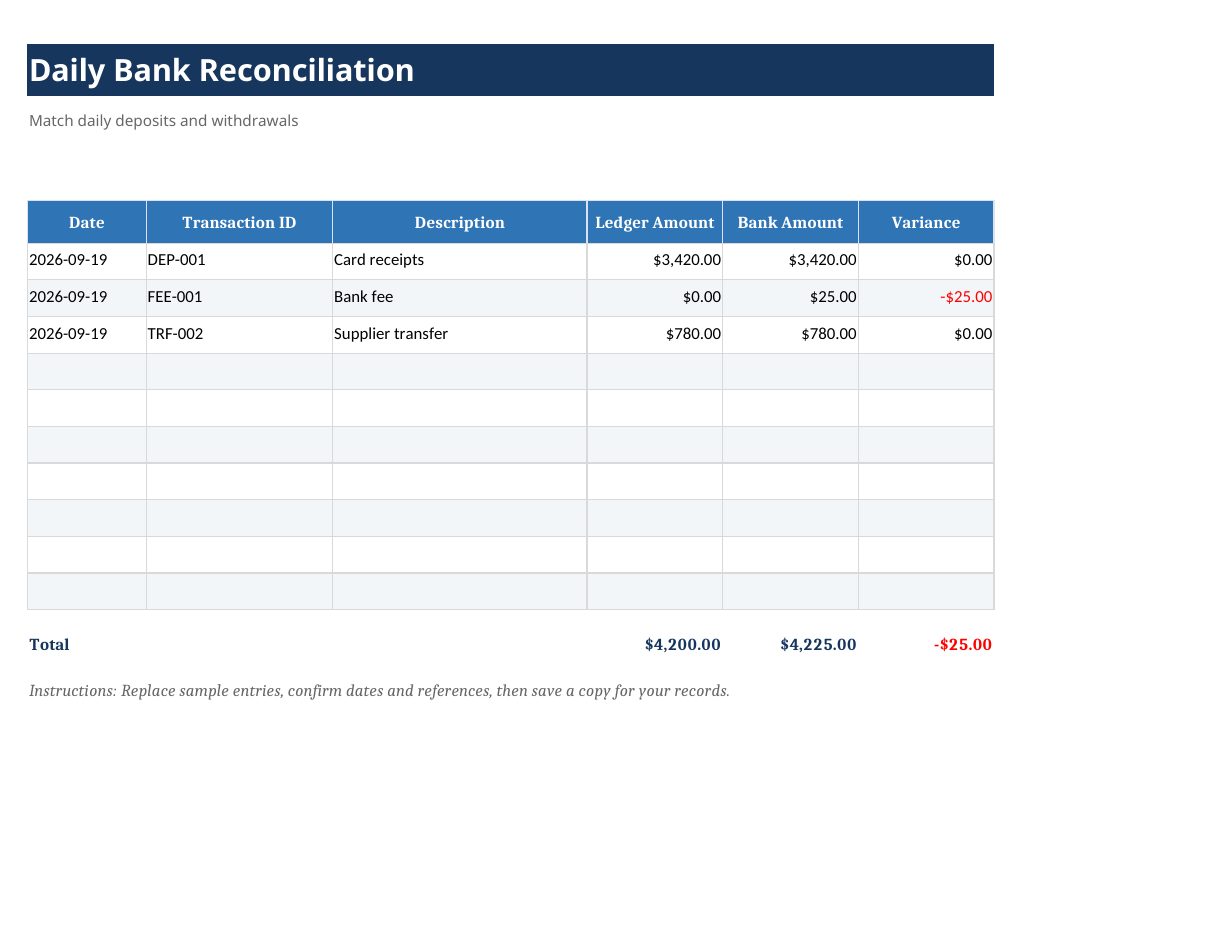
Daily Bank Reconciliation Template
This Excel version is designed for a specific working situation, so you can choose it without deleting irrelevant sections from a generic form. Review the preview, download the editable file, replace the sample entries, and retain a clean master copy for future use.
What Is a Bank Reconciliation Statement Template?
A bank reconciliation statement template is a reusable document that helps its preparer compare ledger activity with the bank statement and explain every difference. Unlike a blank page, it supplies a consistent order for information and reduces the chance that an important detail will be omitted. A consistent format also makes separate reporting periods or cases easier to compare.
The template does not replace source records, professional judgment, or an organization’s approval process. It is a presentation and control tool. Values and statements should be supported by reliable records, and sensitive personal, financial, employment, or legal information should be shared only with authorized people.
Important Fields to Include
The most useful fields for this type of statement include opening balance, deposits in transit, outstanding checks, bank fees, interest, corrections, adjusted balance, and reviewer sign-off. Not every situation requires every field, but the final document should answer four questions: who prepared it, what period or event it covers, where each important figure or assertion came from, and what action is expected next.
- Identification: Add the names, account or matter number, reporting period, and contact details needed to identify the record.
- Traceable detail: Use dates, references, descriptions, categories, and source records so an entry can be checked later.
- Clear totals or conclusions: Make the balance, result, main finding, or requested decision easy to locate.
- Review information: Include the preparer, reviewer, approval date, version number, or signature when accountability matters.
- Supporting records: Retain receipts, invoices, bank records, correspondence, photographs, or other evidence separately and reference them consistently.
How to Use the Template
Start by saving the downloaded file under a new name that identifies the person, organization, project, and period. Keep the original template unchanged. Enter identification details before adding transactions or narrative information, because this prevents a completed document from becoming separated from its context.
Next, gather the source material and enter information in a consistent order. Financial records normally work best in date order with stable categories and reference numbers. Narrative statements should distinguish direct knowledge from information received from someone else. Avoid vague descriptions such as “miscellaneous,” “problem,” or “payment” when a precise explanation is available.
Review formulas, totals, names, dates, and opening or closing balances. Check the statement against the original evidence rather than relying only on memory. If the document will be sent outside your organization, remove hidden notes, unrelated personal information, unused rows, and sample content. Export a PDF copy when you want a fixed version that will not be accidentally edited.
How to Customize It Professionally
Add your logo, organization name, contact details, payment or response instructions, and a consistent document reference. Keep the typeface readable and use color sparingly. Long headings, decorative graphics, and excessive borders make operational documents harder to scan. If additional information is required regularly, add a clearly labeled column or section instead of placing important details in unstructured notes.
For recurring use, protect formula cells and leave input cells unlocked, create a controlled list of categories, and document who is responsible for preparation and review. Use the same date format and currency convention throughout. If several people use the file, include short instructions so entries remain consistent across departments and reporting periods.
Common Mistakes to Avoid
- Mixing different reporting periods or matters in one statement.
- Changing formulas without checking the resulting totals and balances.
- Leaving sample data in a document that is distributed as final.
- Using descriptions that do not explain the nature or purpose of an entry.
- Failing to reconcile the statement with independent source records.
- Overwriting the only copy instead of keeping a version history.
- Including unnecessary confidential information in a widely shared file.
Related Statement Templates
You may also find Bank Statement Templates and Cash Flow Statement Templates useful. Select related documents according to the work being performed rather than inserting duplicate sections into one oversized statement.
Frequently Asked Questions
Are these templates free to edit?
Yes. Download the appropriate file and adapt its labels, categories, instructions, and branding for your own legitimate personal or business use.
Which of the two templates should I choose?
Choose the template whose fields most closely match your workflow and intended reader. The previews show the layout and level of detail before you download.
Can I add or remove fields?
Yes. Remove fields that genuinely do not apply and add any information required by your organization, contract, policy, lender, insurer, or governing authority. Keep the final layout clear and internally consistent.
Should I sign or approve the completed statement?
Use a signature, approval field, or review record when accountability, authorization, or formal submission is important. Routine internal worksheets may need only a preparer name and review date.
Is this a substitute for legal, accounting, payroll, or financial advice?
No. These are general-purpose document templates. Confirm any legal wording, tax treatment, payroll calculation, disclosure requirement, or formal filing rule with a qualified professional or the relevant authority.
Final Review Checklist
Before sharing the document, confirm that the title matches its purpose, identification details are complete, dates and references are consistent, source records support the entries, calculations are correct, sample information has been removed, confidential data is protected, and the file name clearly identifies the final version. This short review improves both accuracy and professionalism.